Also called: wrapper, box.A container is a basic box layout with a set width for its contents.
GitHub
Figma
Container component preview
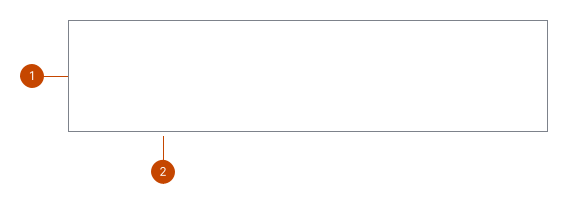
Container anatomy
The container groups content together in a limited space that can hold text, images or other components. The width can be adjusted, for example, to limit the length of a line of text.
The optional border surrounds the container showing the width.
Design and accessibility for containers
Limit width of content
Keep text line length below 65 characters for a comfortable, accessible reading length.
Limit container width to stop large screens from displaying lines of text that are overly long and difficult to read.
Avoid exceeding the maximum width of 71.25rem (1140px) wide.
Add a container size
The size property sets the size of the container. It comes in 6 sizes: | Size | REM | Pixels (Px) |
| ------ | -------- | ----------- |
| full | 100% | 100% |
| xl | 71.25rem | 1140px |
| lg | 62rem | 992px |
| md | 48rem | 768px |
| sm | 30rem | 480px |
| xs | 20rem | 320px | By default, the container size will be set to full which means it will take up the entire width of the parent container. Help us improve Have questions or a request? Give feedback on our contact form. Something's wrong? Raise it through GitHub with an account. You'll have access to the team's direct responses, progress made on your issue, and issues raised by others. Give feedback Report an issue on GitHub 2024-12-11